WhatsApp +212 663 813 479

VOCOIPTV – Live television explained in plain English, set up by you

What VOCOIPTV is, what it costs, and what you do with it on the first evening

It is live television carried down the internet line that is already in the house, rather than off a dish on the roof or through a cable company. One month on one screen is $15. A year is $69, which comes to $5.75 a month. Nothing is delivered and nobody visits: you pay, three lines of text come back on WhatsApp, and you type them into a free app on a screen you already own. A 24-hour trial costs nothing and asks for no card, and every paid term has 7 days of money back behind it.

  • 7 days to change your mind
  • A person on WhatsApp, 24/7
  • Watching in under 15 minutes
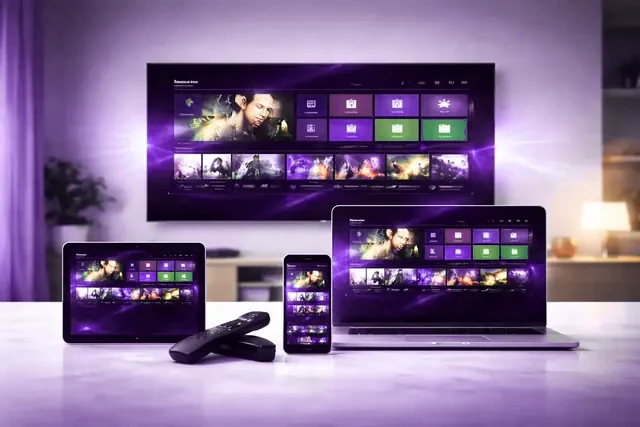
The same VOCOIPTV login open on a television, a tablet, a laptop and a phone
25,000+ Live channels, carried in 4K, FHD and HD

You buy once, at the start. No card is kept anywhere, nothing renews while you are not looking, and the whole order is one conversation with a person.

Write to us on WhatsApp

7 days to ask for the money back, on any term

A living-room television running VOCOIPTV through an app on the set itself The channel list building itself after a login is entered
What arrives

Nothing is posted to you. Three lines of text arrive instead.


What you are buying is not a piece of hardware, and it is worth knowing that before you spend anything. When the payment clears, a person sends you three things in the same WhatsApp conversation: a server address, which is a web link telling your app where the channels are kept, then a username, then a password. Those three lines are the entire product. There is no parcel on its way, no appointment to be in for, and no engineer who needs access to the hall cupboard.

You put a free app on the screen you want to watch on. The trade calls that app a player. You type the three lines into it once, and the app fetches the whole list of 25,000+ channels and 120,000+ films and series by itself. The first time you do this, a minute or two passes with very little on screen. That is the list downloading, not the picture failing.

The same three lines work on the next screen, and the one after that. Install the player wherever you like: the television, a phone in the kitchen, a laptop. How many of them can play at the same moment is set by the term you choose, not by the app.

  • A standard Xtream login, the format every mainstream player expects
  • Typed in by you, on a screen you already own, in under 15 minutes

The three things this needs from you

Broadband in the room, a screen that can install an app, and the login we send

The first is internet that reaches wherever the television stands. Roughly 10 Mbps carries a high-definition channel and roughly 25 Mbps carries a 4K one. Steadiness counts for more than the headline figure, because what interrupts a picture is the gaps rather than the average, so a solid 30 will beat an erratic 200. A cable run from the router to the box takes the whole question away.

The second is something to run the player on. A Samsung or LG television made from about 2016 onward has an app store built into it and needs nothing further. An older set needs a small box in front of it, and a Fire TV Stick at $30 to $50 is the usual answer. An Android box, an Apple TV, a Roku or a MAG or Formuler box already sitting behind the television will do the same job. The third thing is the login, and that is the only part of this you pay for.

Your hardware is below. Open whichever matches what is in the room and the walkthrough you get is written for that device alone, with the menu names it actually uses. If you would rather see them all at once, start at the setup hub.

  • Amazon Fire TV Stick
  • Samsung Smart TV
  • Android TV
  • Apple TV and iPhone
  • MAG and Formuler box
  • Nvidia Shield
  • Android phone and tablet
  • IPTV Smarters Pro
  • Roku
  • Web player and M3U
  • LG Smart TV
  • Windows PC and Mac
Plain words

Every word you will meet, before you meet it

Six terms come up while you are setting this up, in the app, in our messages and in the guides. Here is what each one means, so that nobody has to sit beside you and translate.

Player

The app that does the watching. It holds no channels of its own and is an empty frame until a login goes into it. IPTV Smarters Pro and TiViMate are the two most people end up using. Both cost nothing to install, and there is a guide here for each.

Xtream login

The three lines we send: a server address, a username and a password. They go into the player once. Almost every player accepts this format, so if you change your mind about the app later, the same three lines go straight into the next one.

M3U playlist

One long web address with the whole channel list behind it. A few players ask for this instead of the three separate lines. It is the same subscription either way, and we send whichever shape your app asks for.

EPG, or the guide

The grid showing what is on now and what is on next, the same idea as the guide on a cable box. It loads a couple of days either side of the present moment, which is also how a program that finished last night can still be started tonight.

Connection

One screen playing at one moment. A term bought for one at a time means one picture running anywhere in the house. Install it on as many screens as you own if you want to; what the tiers above the prices change is how many may play at once.

Buffering

The pause where the picture holds still and a circle turns. It means the app has run out of video and is waiting for more to arrive. Most often the cause is your own network rather than the channel, which is why the first thing worth trying is moving the box nearer the router.

How much television this is

Four figures describe the whole subscription, and they are the same four on every term, every tier and every screen. Live channels as they broadcast. Films and box sets you start when it suits you. Countries, which is the figure that counts when not everyone under the roof watches in the same language. And the share of the time the servers are up.

The channel page carries the shape of the list: national networks from the three big English-speaking markets, the sports tiers, news around the clock, children's programming, and the packages that exist for a household watching in another language. The searchable list inside your own player runs a great deal longer than any page could sensibly print.

Read the channel list

25,000+Live channels

120,000+Films and box sets

99.9%Uptime we hold to

60+Countries in the list

Subscribers write in from Canada · the Middle East · the United Kingdom · Europe · Australia · the United States

Prices

The price list, and the one decision inside it

There are two things to settle and nothing else. How long you want it for, and how many screens should be able to play at the same moment. The buttons above the cards move between one, two, three and five at a time. The amount changes; what appears on the television does not. A month on a single screen is $15 and a year is $69, paid once at the start.

One month

$ 15 for one month

the same as $15.00 a month

  • 25,000+ channels, live as they broadcast
  • 120,000+ films and box sets to start whenever you like
  • 4K, high definition and standard picture
  • An on-screen TV guide, and programs from the past few days
  • Works on the TV, box, phone or tablet you already own
  • A person to message on WhatsApp, any hour of any day
  • 7 days to change your mind and get the money back
Ask for this plan

Three months

$ 29 for three months

the same as $9.67 a month

  • 25,000+ channels, live as they broadcast
  • 120,000+ films and box sets to start whenever you like
  • 4K, high definition and standard picture
  • An on-screen TV guide, and programs from the past few days
  • Works on the TV, box, phone or tablet you already own
  • A person to message on WhatsApp, any hour of any day
  • 7 days to change your mind and get the money back
Ask for this plan

Six months

Most chosen

$ 45 for six months

the same as $7.50 a month

  • 25,000+ channels, live as they broadcast
  • 120,000+ films and box sets to start whenever you like
  • 4K, high definition and standard picture
  • An on-screen TV guide, and programs from the past few days
  • Works on the TV, box, phone or tablet you already own
  • A person to message on WhatsApp, any hour of any day
  • 7 days to change your mind and get the money back
Ask for this plan

Each plan opens the same 25,000+ channels and the same 120,000+ films and box sets. You pay once, at the start. Nothing renews by itself, no card details are kept, and if you want the money back inside 7 days you ask and you get it. Every figure on this page is in USD.

The pricing page sets the same figures out as a table, with every tier side by side. If you would rather watch it working before any money moves, the 24-hour trial is a complete account and takes no card details.

A player app on screen with the login fields filled in
Ready in under 15 minutesPaying, the login and your first question all happen in one conversation.
In order

What you do, in the order you do it

Five steps, and you are at the television for the last three of them. Read them through first if you like; none of them is done under time pressure, and you can stop between any two.

  1. Settle the term and the screen count

    Decide how long you want and how many screens should play together. Then press the WhatsApp button on that card, here or on the pricing page. It opens a message that already names the term you picked, so there is nothing for you to word.

  2. Pay, and keep the reply

    We confirm the payment in that same thread and send the server address, the username and the password. Do not delete the conversation. That thread is where your login lives, and it is the same thread you will write in months later if you want anything changed.

  3. Install a player on the screen

    Open the app store on the television or the box. Install IPTV Smarters Pro, or TiViMate if you are on an Android box. Both are free. If you are not certain which suits what you own, send us the make and model first and you will get a direct answer before you start.

  4. Type the three lines in once

    Open the player. Choose the option that mentions Xtream Codes. Type the server address. Then the username. Then the password. Confirm, and leave it alone for a minute or two while the channel list downloads. Very little happens on screen during that minute, and that is what it is meant to look like.

  5. Open a channel, and know the two checks

    Start on a channel you know well. If it plays, you are finished. If it stalls, close the player completely and open it again before touching anything else. Then try a second channel, to learn whether it is one feed or all of them. Those two checks answer most first evenings, and whichever way they come out is the useful thing to tell us.

A free 24 hours: what it proves, and what it cannot

The trial is a whole account rather than a sample. Every channel, the full film and box-set library, the guide and the 4K feeds, for 24 hours. No card is taken, nothing turns into a bill, and it stops of its own accord when the time is up.

What it settles is the part that belongs to you and cannot be answered from here: whether your television will run the player, whether your connection holds a 4K channel without pausing, and whether the channels you personally care about are in the list. What it cannot settle is how any service behaves over a winter, and no trial sold by anybody can. That is the job of the 7 days of money back that sit behind a paid term.

You are not asked for a card at any point. The button writes the message for you and opens WhatsApp; you read it and press send.

Being straight

What nobody can promise you, us included

Four things are worth putting bluntly before you spend anything, because they are the four that turn into disappointment later if they are left unsaid.

No service is immune to a bad night

Every provider in this trade occasionally loses a feed. What separates them is how often it happens, whether another route to the same channel exists, and whether a human answers while it is going on. We hold 99.9% uptime and keep more than one quality of the busy channels. Anyone promising a picture that never once falters is selling you a sentence.

We cannot mend your internet from here

The last few meters are yours. A stream crossing a crowded Wi-Fi signal at the far end of the house will stutter regardless of whose servers it left. A cable from the box to the router, or moving the box closer to it, cures more complaints than anything available at our end. We would rather write that here than take your money and let you discover it.

A 4K channel is not always a 4K picture

A channel can leave us in 4K and still reach your eyes in high definition, because the weakest part of the path decides what you see. Your connection has a say, the box doing the decoding has a say, and the panel itself has the last word. Nothing on this page overrules the equipment standing in your room.

Nothing renews and nothing is stored

There is no contract, no card held on file and no renewal that happens while your attention is elsewhere. When a term ends the picture stops and the decision is yours. If it will not run on your equipment and the chat cannot cure it, say so inside 7 days and you are refunded, in the same chat you ordered in. The written boundaries sit on the refund policy page.

Who holds which part of this

The partOurs to handleYours to handleNobody's to promise
Getting you a working loginIssued by hand in the chat, normally under 15 minutesSaying which term you want, and paying for itThat a payment method never has an off day
The channel list25,000+ channels, re-pointed when a feed movesTelling us when one you watch goes quietThat every channel on earth lasts forever
Picture quality tonight4K, FHD and HD copies of the busy channelsA connection able to carry the one you opened4K on a screen or box that cannot show it
Speed into the houseNothing. This one sits between you and your providerBuying enough of it, and wiring it where you canMaking a slow line fast from our end
The app on your screenGuides for each player, and which suits your deviceInstalling it, and letting it update itselfWhat a third-party app decides to change next
The first setupSomeone in the chat who has seen your device beforeBeing at the television while we go through itDoing it without you in the room
What it costsOne amount, paid once, printed on the pagePicking the term that suits how you watchPrices that are fixed for all time
RenewalA reminder in the chat as a term runs outDeciding whether you want another oneNothing here renews, so there is nothing to promise
Changing your mind7 days of money back if it will not runTelling us inside those 7 daysA refund on a term you watched right through

If you end up doing this for other people

The panel, and how credits work

It happens. Somebody sets this up for themselves in an evening, and within a month two neighbors and a brother-in-law have asked for the same thing. If that becomes a habit, there is a panel for it. You buy credits at wholesale and spend them to open and renew accounts for your own customers, under your own name, with our servers carrying the 25,000+ channels behind them. You set your own prices and you hold your own conversations. We publish no income figures on the reseller page, because what you earn depends entirely on what you charge and who you sell to, and any number printed here would be a guess about your life.

Read how the panel works
Frequently Asked Questions

The questions that arrive before the first payment

These reach the chat more often than anything else, so they are answered here in full rather than hidden behind a form. The FAQ page carries the rest of them.

What am I actually buying?

A login, and nothing physical. Once you have paid, a WhatsApp message arrives carrying three lines of text: a web address, a username and a password. You put a free app on a screen you already own, type those three lines into it once, and the app fills with 25,000+ live channels and a library of 120,000+ films and series. No box, no dish, no engineer, nothing fixed to a wall.

Does anything arrive in the post?

Nothing is shipped, so there is nothing to wait in for and nothing to send back later. The whole subscription is those three lines of text. That cuts the other way too: on the day you decide to stop, no equipment is sitting in a cupboard and no contract has to be unwound. The login stops opening, and that is the end of it.

Will it run on the television I already own?

In most homes, yes. A Samsung or LG set made in 2016 or later runs it on the television alone, with no extra hardware. Any Fire TV Stick works, as does an Apple TV, an Android TV set or box, a Roku, a Windows laptop, a Mac, an iPhone or an iPad. MAG and Formuler boxes, which are built for this kind of service, work too. An older television needs a $30 stick in a spare HDMI socket.

What does a subscription cost?

$15 buys a month with one screen playing at a time. Stretch the same thing to a year and it is $69, or $5.75 a month, because a year paid up front costs us less to run than twelve separate transactions. Where more screens will be on at once, a year is $119 at two, $159 at three, $239 at five. All sixteen combinations sit on the pricing page.

Will it take the money again next month?

No. There is no standing order, no automatic renewal, and no card number stored anywhere here, because we never take one to store. You pay for a block of time. When that block runs out the login stops working and a message asks whether you want another one. Doing nothing is a perfectly valid answer to that message, and nothing happens if you ignore it.

How long before something is on the screen?

Under 15 minutes is the normal case, and most of that is you installing an app. Paying, receiving the login and reaching the first channel all happen inside one WhatsApp conversation, at whatever hour suits you. Nothing goes in the post, nobody books a visit, and no application waits overnight for approval. If the app is already on the television, the three lines take about a minute to type.

What is actually on it?

Start where cable used to: the US networks, the British and Canadian ones, rolling news, children's channels and the sports tiers. Behind those sit packages from around 60 countries, which is the part that matters if the language you want is not English. Then there is the on-demand side, where films and box sets are picked from a menu rather than waited for. The channel list page shows the shape of it.

Can I watch live sport and pay-per-view?

Yes, and it is the part worth testing before you spend anything, because sport is the one moment when every customer wants the same channel at the same second. The NFL, NBA, MLB and NHL are carried, as are the Premier League, the Champions League, UFC cards and boxing pay-per-view. Big nights usually run a 4K feed beside an HD copy of the same channel, and the HD copy is what you switch to if the picture wobbles.

What does my internet connection have to do?

Around 10 Mbps holds an HD channel and 25 Mbps holds a 4K one, but the figure on your bill is not the figure that decides it. A line that never drops below 30 Mbps behaves better than one averaging 200 that stalls for two seconds every few minutes. Test it on the evening you would normally be watching, not on a quiet weekday morning. Some connections will not carry this at all, and the free 24 hours exist so that you find that out before you pay.

How many screens can be playing at once?

As many as the tier you chose: one, two, three or five. That counts screens playing at the same moment, not screens the app is installed on, so put it on every device in the house if you want to. A phone in one room and the main television in another, both playing, count as two of them. Guess low and regret it and the tier can be raised later without the term starting again.

Is VOCOIPTV official?

No, and be careful with anyone in this market who tells you otherwise. We are not a broadcaster. We hold no license from one, and we are not endorsed by the networks whose channels appear in the list. What we sell is access to a server that carries those channels. Whether that is a thing you want to buy is your call to make, and you can only make it properly if somebody states the position plainly rather than dressing it up.

What if I change my mind after paying?

You have 7 days, counted from the moment the login is switched on. Message the WhatsApp number and say you want the money back. We will offer to look at the problem first, because a good share of these turn out to be one setting on one device, but if you would still rather have the refund than the fix, you get the refund in full. The refund policy page carries the exact wording.